
1

Type a website address
Enter a site address naturally as you browse the web.
AI-powered domain typo detection that stops you before you land on the wrong website.
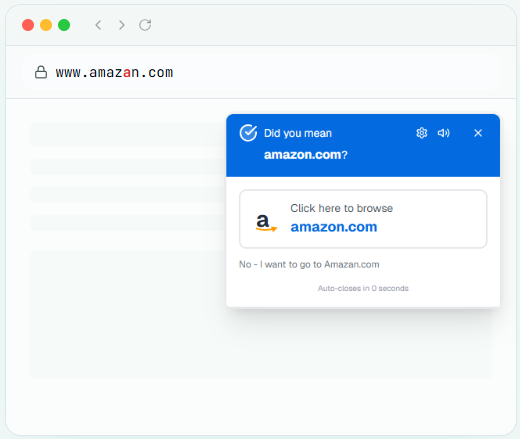
DidYouMean detects the typo in amazan.com and suggests the correct domain.
Three simple steps to stay protected from domain typos and phishing traps
Enter a site address naturally as you browse the web.

Advanced machine learning checks for typos and risky patterns.

Receive a helpful warning only when needed, never when you're intentional.
Intelligent protection that adapts to your browsing habits
Advanced machine learning detects likely misspellings and suggests the intended popular domain.
The app identifies your browsing patterns over time and adapts to reduce unnecessary alerts.
Identifies suspicious domains designed to imitate trusted websites.
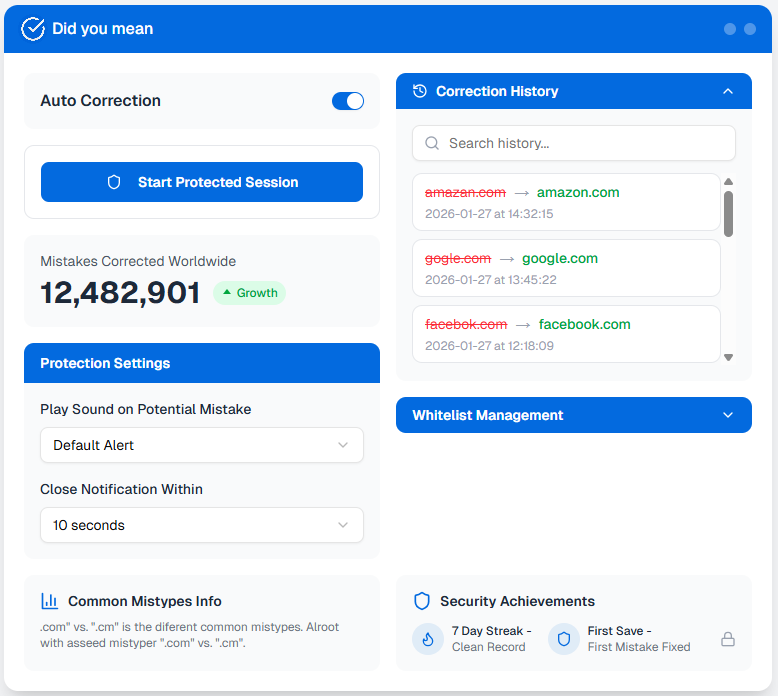
Add websites you trust to your personal "Always Allow" list so you're never interrupted.
Control how notifications behave: gentle suggestion, standard warning, or strong alert with sound.
Fast performance with privacy-first design that respects your data and browsing experience.
Your protection shouldn't come at the cost of your privacy. We're transparent about what we do — and don't do — with your data.
Your browsing data is yours. We never sell or share your information with third parties.
We only analyze domain names, not passwords or personal information you type.
Most analysis happens on your device. Your data stays with you whenever possible.
Full transparency with easy-to-use privacy settings. Turn features on or off anytime.
Have questions? We've got answers.
Join thousands of users who never worry about mistyped domains again. Download now and get instant protection.